NAIRR Tutorial Walkthrough
We will be using the Delta Supercomputer (opens in a new tab) at NCSA (opens in a new tab) for the tutorial. To get started we recommend getting an account on this machine via NSF's ACCESS program (opens in a new tab).

Note
If you responded to our email asking for your email to be setup with an NCSA allocation, you are ready to use the Globus Compute Multi-User endpoint and can skip the steps outlined below.
Manual Setup
Diamond uses Globus Compute (opens in a new tab) to orchestrate Model training, Fine-tuning and serving remotely on NSF resources. When the facility has not already setup a Multi-User Endpoint(MEP) managed by the admin staff, or the MEP is unusable for you, you may install and run it yourself.
We outline the steps below:
- Open a terminal and SSH into Delta system
ssh <username>@login.delta.ncsa.illinois.edu- We strongly recommend setting up a Virtual environment (opens in a new tab) with uv (opens in a new tab).
# Use uv to create a vitualenv with python3.11 interpreter

uv venv venv_py3.11 --python=3.11
source venv_py3.11/bin/activate- Install globus-compute-endpoint latest for ease of setup.
uv pip install globus-compute-endpoint- Start the Globus Compute Endpoint
# Initialize the endpoint
globus-compute-endpoint configure Diamond_Delta_MEP
globus-compute-endpoint start Diamond_Delta_MEP

# Leave the MEP running in this terminal session
Note: On the first invocation, the endpoint will emit a link to the console and ask for a temporary code in return. As part of this step, the Globus Compute web services will request access to your Globus Auth identity.
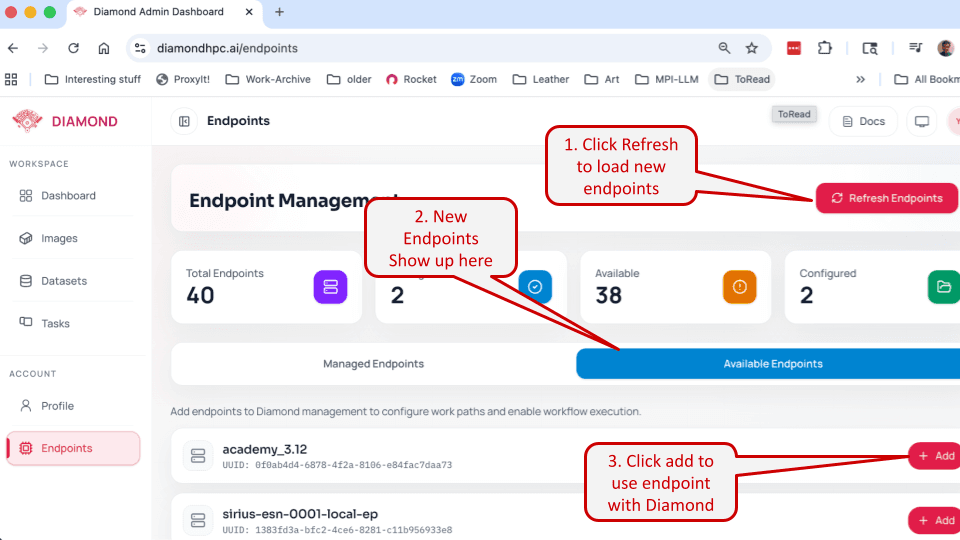
- Use your Endpoint on Diamond!